
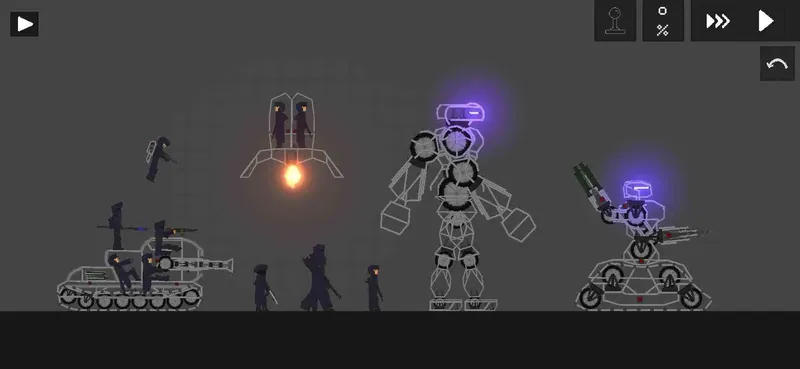
The DSNA! in short for Democratic States of Nagel Arche DSNA-DP-1: A drop pod to land infantry into battle (It’s also a prototype ) DSNA-T-1: A tank that has a somewhat goofy type shape, acts like a moving bunker. DSNA-WM-1: A powerful war machine that is a recreation of one of the FA war machines, but it’s been upgraded to a great level with one arm having four mini guns and the other having four rocket launchers. DSNA-WM-2: A large moving mech with no weapon of sort but it’s iron fists. DSNAS-1: The tall soldier with a Shotgun. DSNAS-2: The normal looking soldier with a flash grenade. DSNAS-3: A trench warfare type of soldier that has a somewhat big helmet. DSNAS-4: The soldier on the tank that is guard, it doesn’t use a range weapon, it uses a melee weapon. DSNAS-5: The soldier that is like DSNAS-2, but it has a jetpack and a sniper to shoot those below from the above. Enjoy this faction pack
The Fsave folder is in Android >> Data >> com.ONRIStudio.JustPlayground >> Files >> Saves Note that the mod file for the Fruit Playground ends with .fsave In order to install the .fsave
how to put mods in fruit playground .Fsave
1. Download the The DSNA mods file and save it
2.Open Zarchiver /FV File Manager and go to the Download folder to find the zip pack you just download.Extract to./<Archive name>/
3. Enter the game and go to any map
4. Select the save tab
5. Click on the “Install save file” button
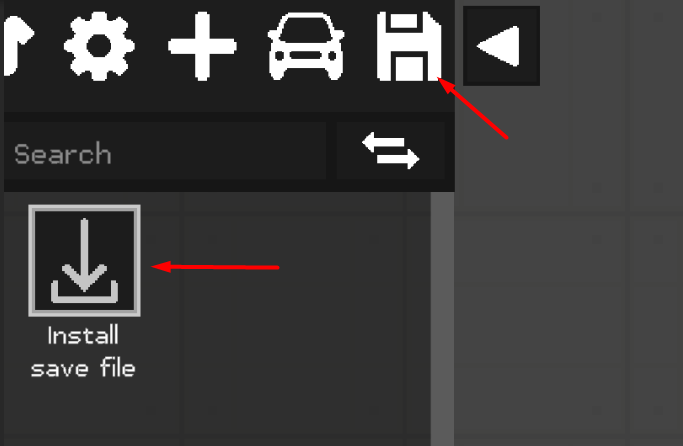

6. Select the desired .Fsave file
7. Everything is ready, the save is installed and ready to use
how to put mods in fruit playground .Fmod
The mods folder is in Android >> Data >> com.ONRIStudio.JustPlayground >> Files >> Mods Note that the mod file for the Fruit Playground ends with .fmod In order to install the mod
1. Download the The DSNA mods file and save it
2.Open Zarchiver /FV File Manager and go to the Download folder to find the zip pack you just download.Extract to./<Archive name>/
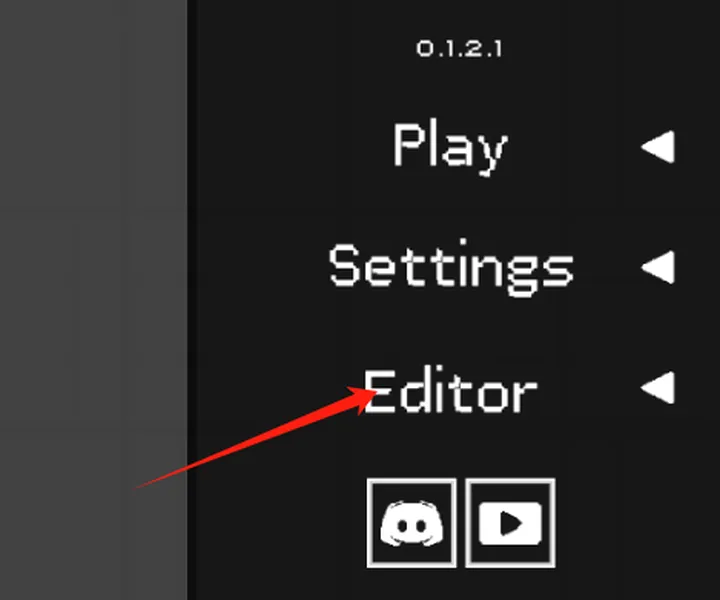
3. Enter the game and go to the editor using the “Editor” button in the main menu
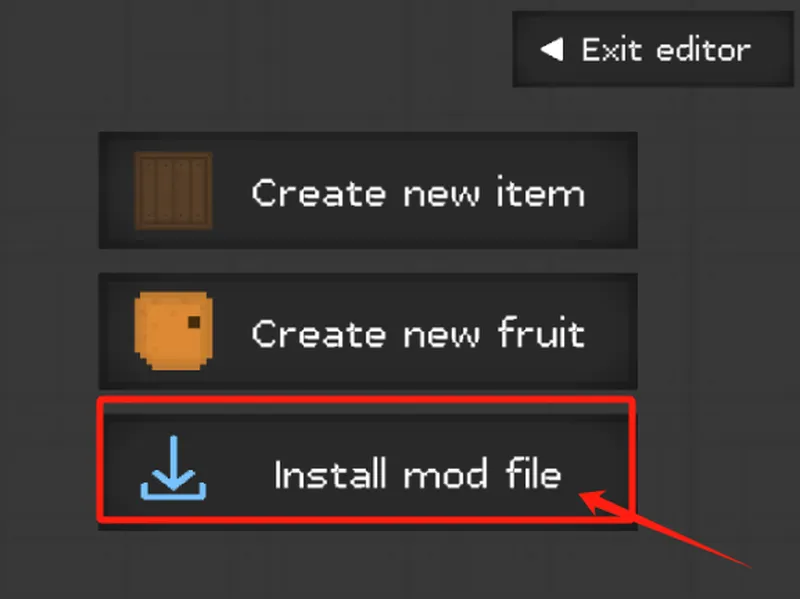
4. Click on the “Install mod file” button
5. Select the desired .Fmod file
5. Everything is ready, the mod is installed
After downloading the fruit playground mods, please load the mod once in the fruit playground and then enter the map to use the mod. If it does not take effect, please restart the game.
After downloading different modules, each module may be placed in different categories in the menu bar on the left side of the map, please pay attention to find it.
Due to the problem of the game itself, using too many mods to load may cause black screen and freeze problems, which can be solved by clearing the mod function and restarting the game.