
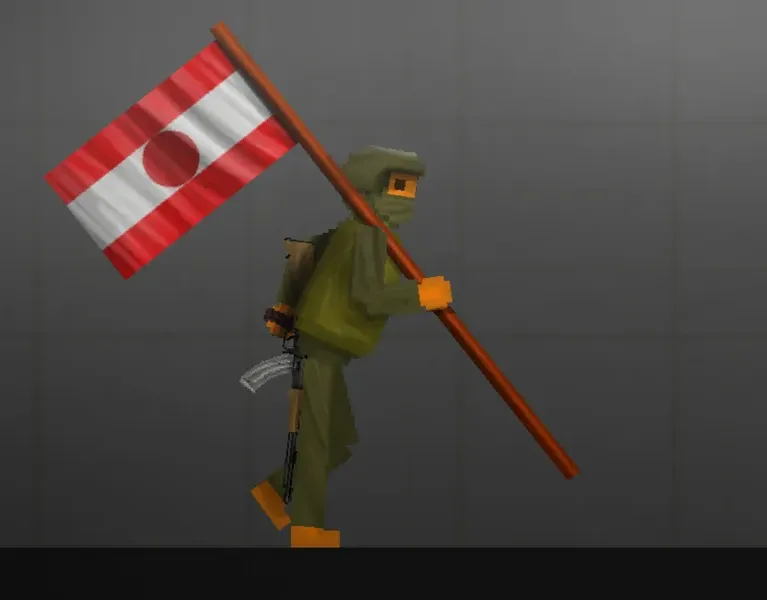
Kyrovia Flag fruit playground Mod
Kyrovia Flag
The flag of my fictional country This was originally made for me to test some brush i found and downloaded in the ibis paint website, i turn it into a fpg mod because why not
Not going to use this brush ever again in my next mod for some reason, its harder to use, more fingers torturing, and took more time to shade, if anyone want the brush, the QR code of the brush is posted in Reza’s Kitchen | Wip Stuff, the brush isnt mine, credits to the guy who made this amazing brush (i forgor his name) This brush also seems like its the best on arts stuff
how to put mods in fruit playground .Fsave
1. Download the Kyrovia Flag mods file and save it
2.Open Zarchiver /FV File Manager and go to the Download folder to find the zip pack you just download.Extract to./<Archive name>/
3. Enter the game and go to any map
4. Select the save tab
5. Click on the “Install save file” button
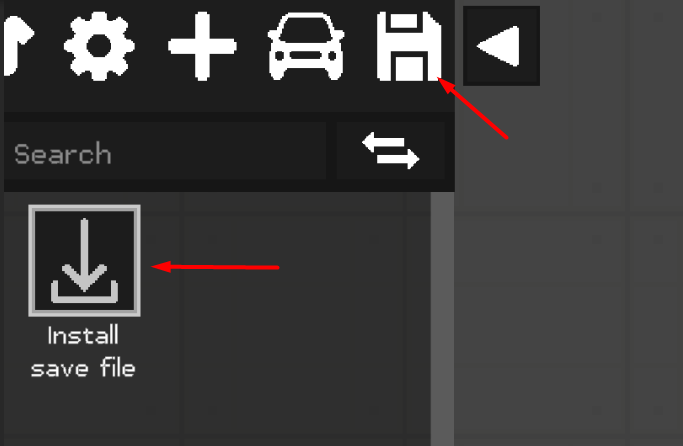

6. Select the desired .Fsave file
7. Everything is ready, the save is installed and ready to use.
how to put mods in fruit playground .Fmod
1. Download the Kyrovia Flag mods file and save it
2.Open Zarchiver /FV File Manager and go to the Download folder to find the zip pack you just download.Extract to./<Archive name>/
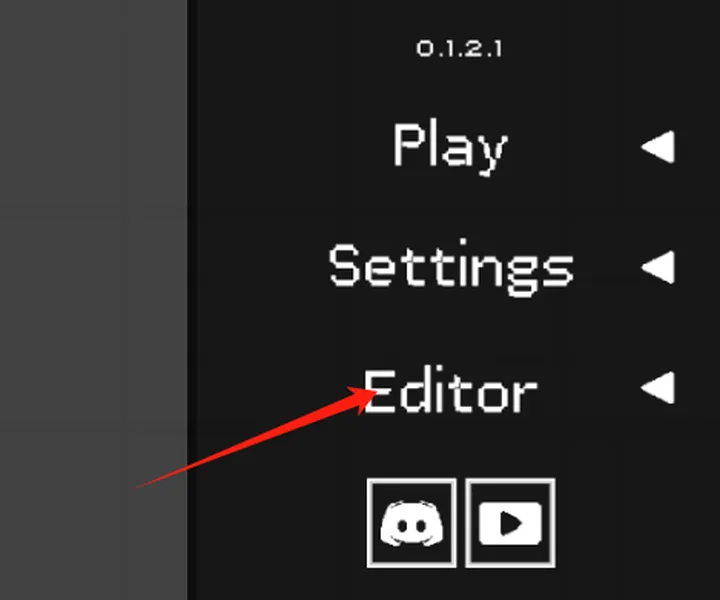
3. Enter the game and go to the editor using the “Editor” button in the main menu
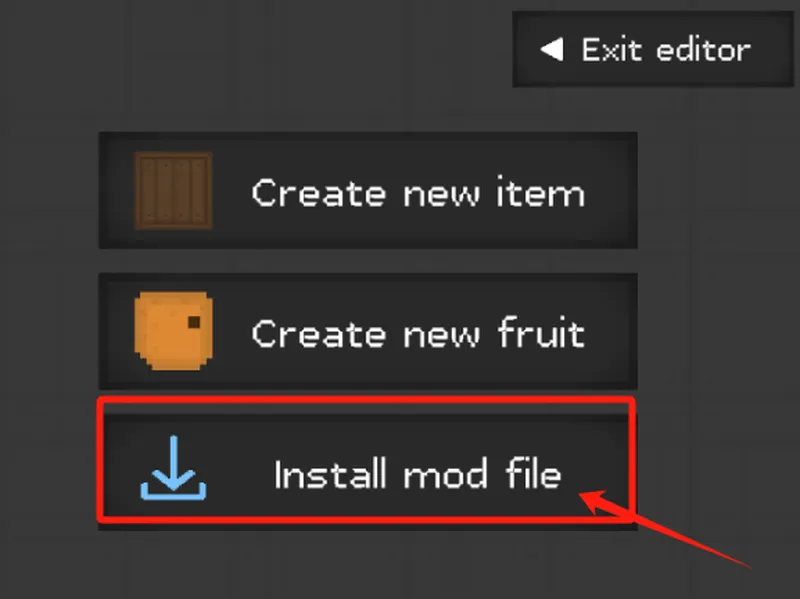
4. Click on the “Install mod file” button
5. Select the desired .FMOD file
5. Everything is ready, the mod is installed
how to put mods in fruit playground .Fmap
1. Download the Kyrovia Flag mods file and save it
2.Open Zarchiver /FV File Manager and go to the Download folder to find the zip pack you just download.Extract to./<Archive name>/
3. Enter the game and go to the editor using the “Play” button in the Custom Mpas
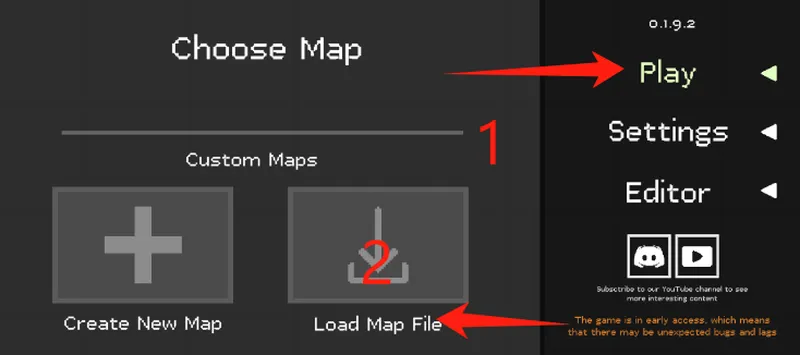
4. Click on the “Install Map file” button
5. Select the desired .Fmap file
5. Everything is ready, the mod is installed
After downloading the fruit playground mods, please load the mod once in the fruit playground and then enter the map to use the mod. If it does not take effect, please restart the game.
After downloading different modules, each module may be placed in different categories in the menu bar on the left side of the map, please pay attention to find it.
Due to the problem of the game itself, using too many mods to load may cause black screen and freeze problems, which can be solved by clearing the mod function and restarting the game.