
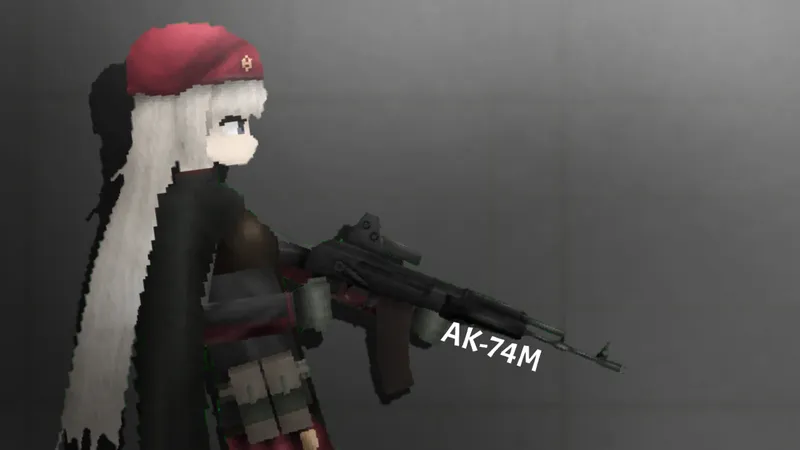
AK-74M GFL
an character from Girls’ frontline Requested by @Grapefruit_Worker ( Silly arc ) Living mod +Good Quality +Fixed layers, no need to set up layers after spawning it Her left arms cant be moved because of some bugs making the invisible pixels on her heads parts able to be grabbed, may will be fixed by the fpg developers soon. *Left arms can be moved only using ingame “control” feautures thats appear when you duoble click the living mod Workshops: Reza’s Kitchen | Wip Stuff 🍳| Reza’s Kitchen V2 Her AK-74M assault rifle will be posted in a few second IMPORTANT


Please download n install both .fsave and .fmod files, the mod files is required for the saves files to work. The saves is just attaching one of separated parts to the top torso of the main living mods, the mods works fine if you dont download the saves files but youll need to manually attach the separated parts to the main living mod using ropes. Please remember that dont put “.fsave” on mods folder or install the saves using mod editor’s “install mod file” feautures, the saves should be installed in the “install save file” feautures located at Saves category when you playing the game.
how to put mods in fruit playground .Fsave
1. Download the AK-74M GFL mods file and save it
2.Open Zarchiver /FV File Manager and go to the Download folder to find the zip pack you just download.Extract to./<Archive name>/
3. Enter the game and go to any map
4. Select the save tab
5. Click on the “Install save file” button
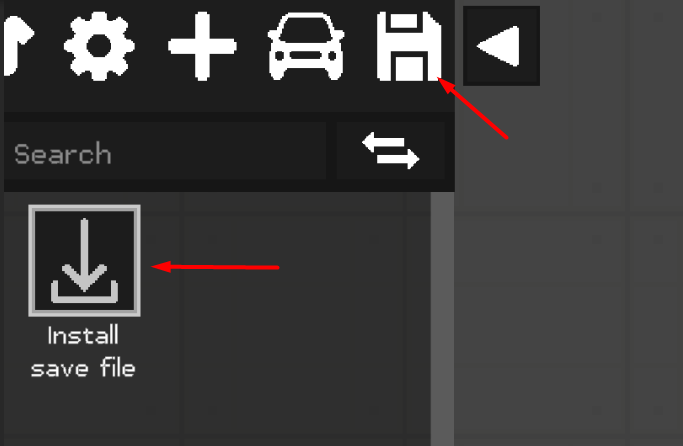
6. Select the desired .Fsave file
7. Everything is ready, the save is installed and ready to use.
how to put mods in fruit playground .Fmod
1. Download the AK-74M GFL mods file and save it
2.Open Zarchiver /FV File Manager and go to the Download folder to find the zip pack you just download.Extract to./<Archive name>/
3. Enter the game and go to the editor using the “Editor” button in the main menu
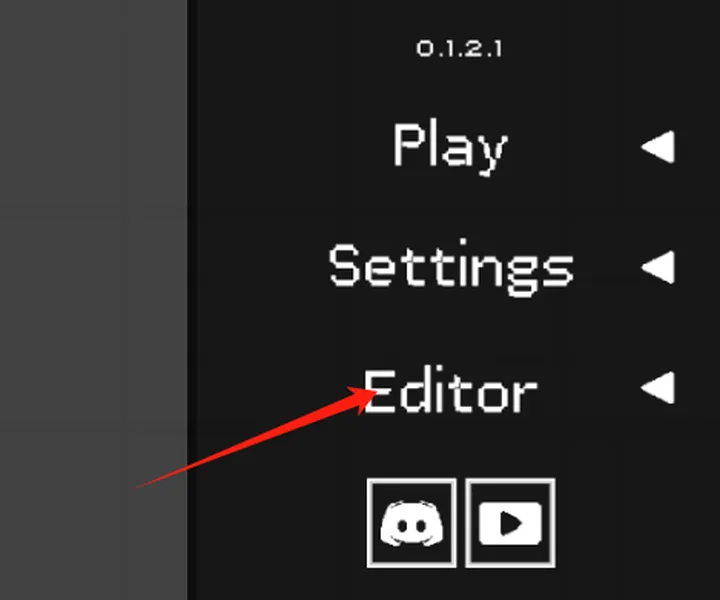
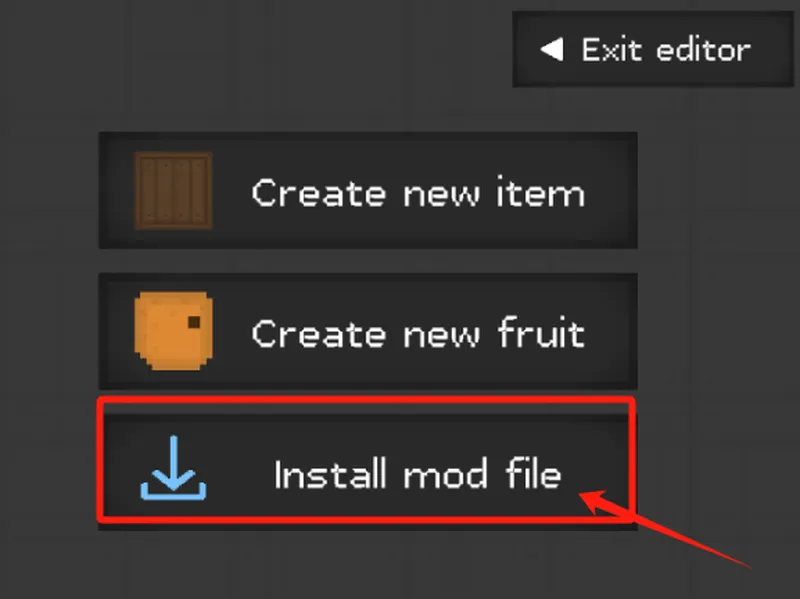
4. Click on the “Install mod file” button
5. Select the desired .FMOD file
5. Everything is ready, the mod is installed
how to put mods in fruit playground .Fmap
1. Download the AK-74M GFL mods file and save it
2.Open Zarchiver /FV File Manager and go to the Download folder to find the zip pack you just download.Extract to./<Archive name>/
3. Enter the game and go to the editor using the “Play” button in the Custom Mpas
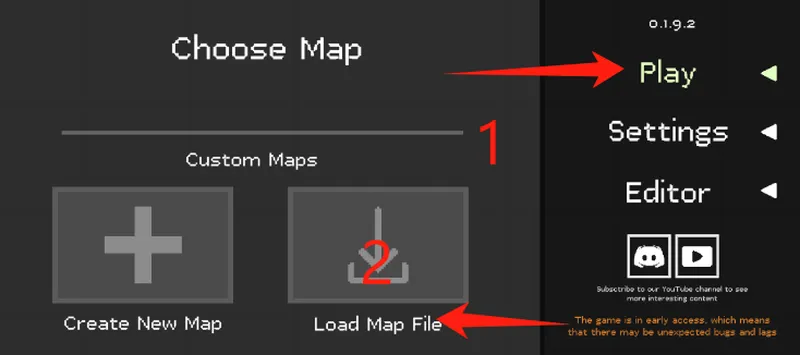
4. Click on the “Install Map file” button
5. Select the desired .Fmap file
5. Everything is ready, the mod is installed
After downloading the fruit playground mods, please load the mod once in the fruit playground and then enter the map to use the mod. If it does not take effect, please restart the game.
After downloading different modules, each module may be placed in different categories in the menu bar on the left side of the map, please pay attention to find it.
Due to the problem of the game itself, using too many mods to load may cause black screen and freeze problems, which can be solved by clearing the mod function and restarting the game.